

At this point, I think it’s fair to say that creating photo books has become a favourite pastime of mine. I love reflecting back on special moments and creating a tangible memory keeper for myself and my loved ones.
When Popsa reached out to ask me to try their photo book platform and share my honest Popsa review, I was excited. I had heard of Popsa and was curious about what set them apart from other brands.
Popsa’s big point of differentiation? The ability to design a photo book in minutes, completely from your phone.
Colour me intrigued! My usual process of putting together photo books is many painstaking hours spent at my computer, clicking through endless options and arranging everything just so.
While I enjoy the creative aspect, I’ll admit that it can become tedious. I have more than one half-designed photo book sitting in an account, abandoned because I didn’t have the time to finish it.
But Popsa was offering a solution that promised fast, well-designed and beautiful photo books. Could they deliver on that promise?
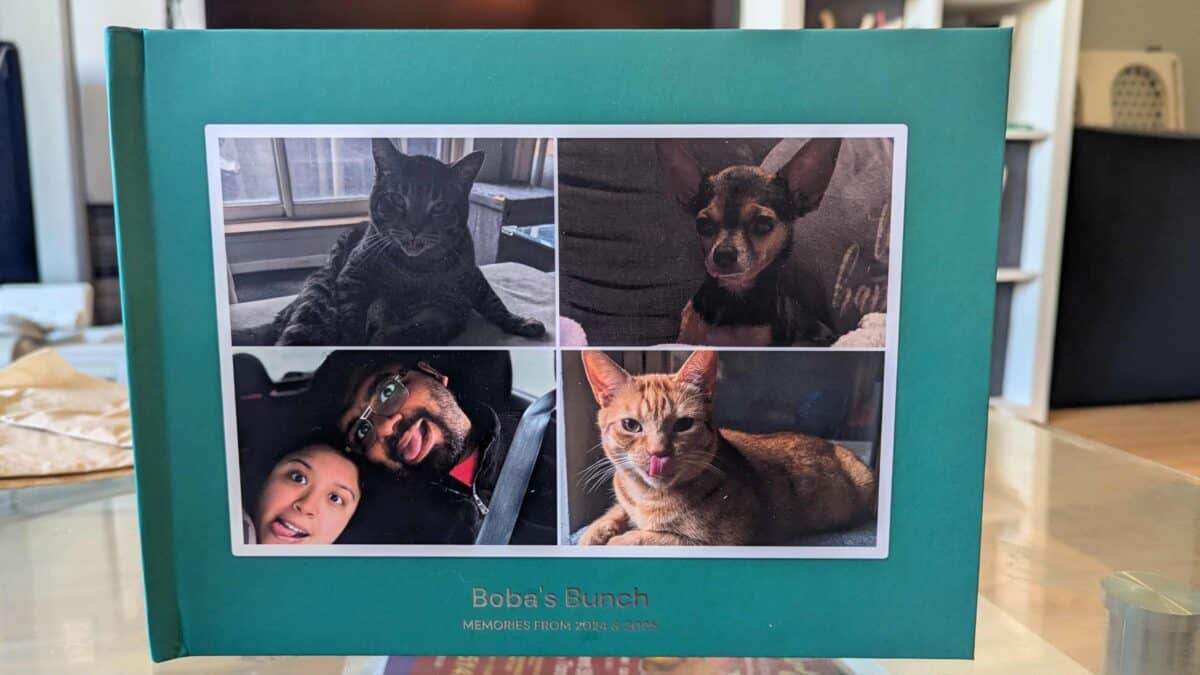
To test it out, I designed a Popsa photo book for my sister. As a foster dog mom and owner of two cats and one dog of her own, naturally the book centred around her beloved pets!
Below I’ll walk you through my full process of designing a Popsa photo book – from downloading the app to receiving the photo book in the mail. I’ll share my full Popsa review so you can decide if this photo book maker is for you!
 My sister’s cat, Boba, posing with his Popsa photo book!
Disclosure: This post is sponsored by Popsa but all opinions below are my own. Thanks to you and Popsa for your support of my work!
What is Popsa?
Popsa is a photo curation app, specializing in “photo books in five minutes.” How? By using their intuitive app on your phone to easily design, upload, drag and drop your way to printed memories.
Popsa says they are a “space to process through photos… a platform to help you look deeper and feel deeper.” They do that by using apps and AI to help people turn their endless camera rolls into physical memories.
In addition to photo books, you can also create prints, tiles, ornaments, calendars and photo boxes with Popsa.

Step 1: Download the Popsa app
To start working on my Popsa photo book, I first needed to download the Popsa app onto my phone.
It was very easy to download the Popsa app (you can get it from the Apple App Store or Google Play), login and start creating. From there, it was straight onto building my photo book.


Step 2: Upload photos
After downloading the app, creating your account and selecting the type of product you want to create, you’re then instructed to upload your photos from your device.
I did run into some trouble uploading my photos to Popsa – trying both with Google Photos and Dropbox. It may have been an issue with those platforms themselves, however.
The workaround I eventually landed on was to download the photos onto my computer and then use Popsa’s web version of their photo book editor to upload them directly from my laptop.
Even this didn’t work perfectly, as a few of my photos mysteriously wouldn’t upload. Perhaps it was an issue with the files on my end, since I was working with files my sister sent me.
If my photos were housed in my own Google Photos, Apple Photos or on Facebook, I should have been able to easily upload them via the mobile app. I wouldn’t have had to spend so much time on this part of the process.

Step 3: Tweak the done-for-you Popsa photo book
Once I was finally able to upload all my photos, I could move onto designing the actual photo book. Though I’d say this is more about editing and tweaking, as the designing is automatically done for you with Popsa.
I see how this can be a big plus for users. If the whole point of Popsa is to be able to create a photo book quickly, it makes sense that the app does the design heavy lifting for you.
To be honest, this is not my preferred way to put together a photo book. I like having creative control and getting to decide how many photos go on each page, which photos go where, etc.
That being said, the Popsa automatic layout is not set in stone. You are able to swap photos, add in new ones, change the templates, crop, resize, etc.


While it was challenging to try and start from scratch with a book that was already filled in, it wasn’t impossible. And the actual editing of each photo was a lot easier on my phone, where I could use my fingers on the screen, rather than on my computer.
Because Popsa knows you’re short on time, they keep it simple when it comes to the design options. There are only a few fonts to choose from and a few photo templates; you can choose to have borders around your photos or not.
This is both a pro and a con. At times, I wanted a bit more creative freedom. I wished I could tweak the photo templates so they’d work better for the photos I wanted on a specific page.
But I also really appreciated the simplicity of fewer options. Especially being on the smaller screen of my phone, it would have been annoying to have to scroll through hundreds of fonts or photo templates.


After a lot of swapping and sizing, I was finally happy with the photo book I was designing for my sister and ready to order!
Step 4: Preview, order & await delivery
Before you order your Popsa book, you’re able to preview it. This was one of my favourite parts of the app experience!
Not only can you scroll through your photo book on your phone, but you can do 3D and AR previews to better picture what it’ll look like in real life.


The 3D preview (above) allows you to flip through the pages of your book and move it around. It felt like I was really flipping the pages, which helped me spot a photo template I wanted to change.


The AR (augmented reality) preview (above) allowed me to see the photo book in my own space. While probably unnecessary for photo books, I can see how the AR preview would be really handy if you were ordering prints for your wall.
As I went to order, the app also showed me previews of the different photo book sizes (in someone’s hands) and even had little videos of someone flipping through the different cover and paper options.
I loved this feature because it really gave me a sense of what my book would look and feel like. It’s tough to know whether you should upgrade to lay flat, go for glossy or matte printing, etc., so having these video previews made those decisions much easier.

I was able to choose the size, cover type (photo booklet, softcover or hardcover), and paper finish (matte or glossy) for my book. I was also able to add upgrades such as silver foil lettering, lay flat binding and a gift box.
Some of the upgrades and more expensive finishes were pre-selected for me when I got to the order page. It would be very easy to miss the fact that these optional extras were pre-selected and end up paying for something you didn’t want.
Plus, by having all of these extras pre-selected, it made the initial final price of my photo book super high. That kind of sticker shock could cause someone to abandon their cart, not knowing that they could de-select the extras to lower their total.


Pre-selected extras aside, I did find the price for my Popsa photo book to be very reasonable. It’s on the lower end of the photo book companies I’ve tried. Plus, you know you’ve always got to use a discount code with photo books!
Their shipping fees were also quite affordable. I paid just $12 USD for express shipping to Canada (and it showed up early!).
Step 5: Enjoy your Popsa photo book!
 My sister’s cats admiring their new book!
I ordered my Popsa photo book on October 13. With express shipping, it was supposed to be delivered between October 21 and 24. But it showed up early on October 18!
I was very impressed by this fast delivery. I also received notifications throughout the printing and delivery process letting me know the status of my book.
The final Popsa photo book was absolutely beautiful and exceeded my expectations. The hardcover was nice and sturdy and the silver foil lettering (I went for the upgrade!) looked really professional.

The paper quality was excellent and all of the pictures came out very crisp and vibrant. It was well-packaged, so didn’t show up with any dents or rips (which hasn’t been the case with all of my past photo books!).
Best of all, my sister absolutely loved her photo book! She was gushing over it and sent me lots of photos of her pets – who feature heavily in the book – admiring their own photos.
Wrapping up my Popsa review: Who is Popsa for?

While I’ve been using online photo book makers for years and have tried many different companies, this was my first time designing a book through an app on my phone.
And I can see the appeal! It’s definitely much easier to scroll on your phone and edit a done-for-you book in just a few taps than it is to start with blank pages on your computer.
But I’d be lying if I said I didn’t miss the creative control of designing a photo book from scratch and using a big screen to see all of my photos and options at once.
Though that’s just me. I know not everyone wants to spend hours or days obsessing over layouts and photo placements.
I’ve designed photo books for friends and family members who tell me they would never have the time, skill or patience to do it themselves. But with Popsa, they can!

If you’re someone who wants to print your memories but finds the thought of designing a photo book from scratch too intimidating or time-consuming, Popsa is your answer.
You don’t have to spend hours at your computer. You don’t have to make hundreds of choices. And you don’t have to be tech-savvy or good at graphic design.
You can just pull out your phone, download an app, and have a photo book designed and ordered in five minutes – just like Popsa promises. Of course, you can take your time and make tweaks, but you don’t have to if you don’t want to.

I love that Popsa is making photo books and tangible photo memories more accessible to people. These special items shouldn’t be reserved for artsy people with a lot of time on their hands.
Because at the end of the day, designing the photo book is just one small part of the process – either a fun bonus if you find it creatively fulfilling or a hassle if you don’t have the time/desire to do it.
The important part is the final photo book. It’s having those memories off of your camera roll or Instagram feed and in your hands to cherish for years and share with loved ones.
Download the Popsa (from the Apple App Store or Google Play) now and get started creating your photo book of memories!
Please visit:
Our Sponsor